
Product
From documents to a decision
- 1
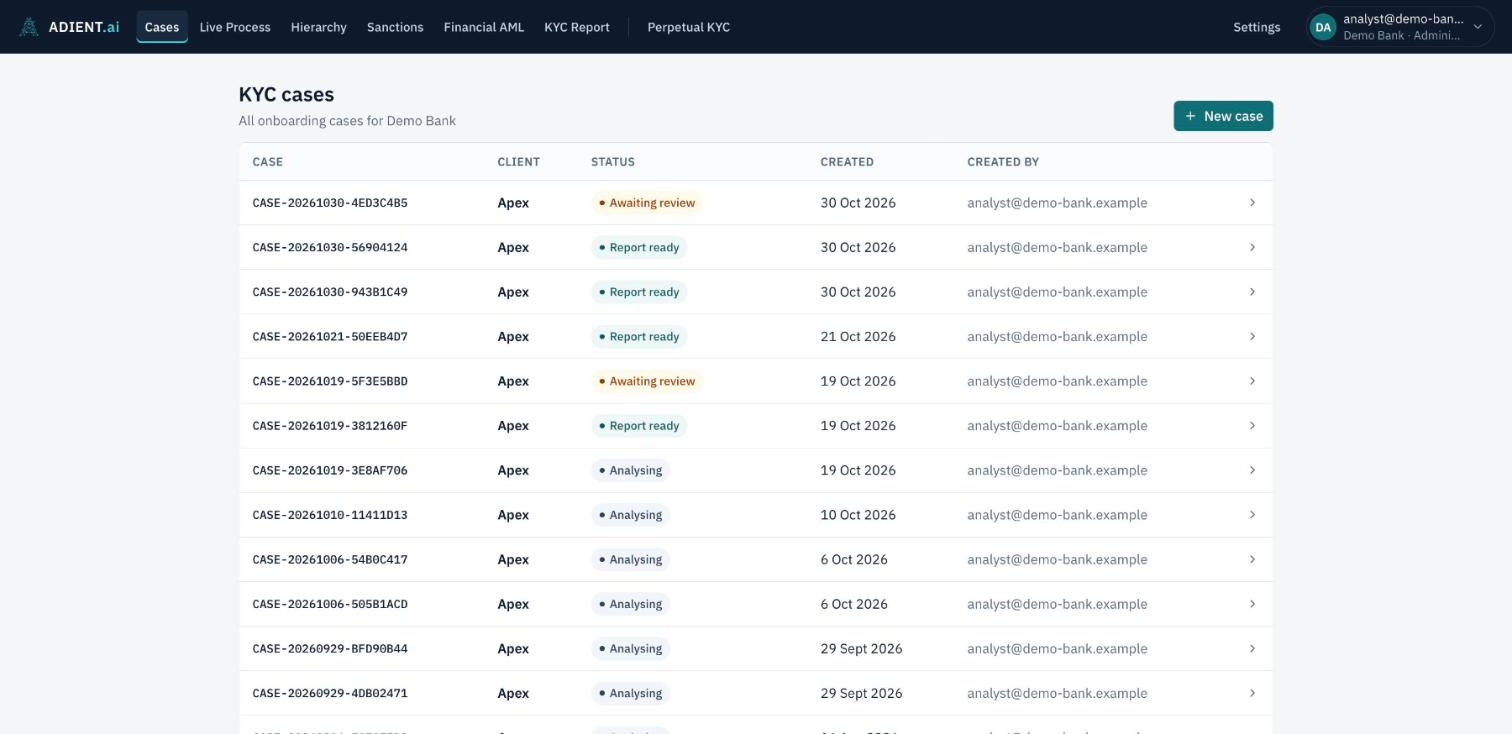
Open a case and add the documents
Create a case for the business client and upload its documents: registry extracts, shareholder registers, UBO declarations, financial and bank statements, IDs. Missing documents can be requested from the client through a secure upload link.
- 2
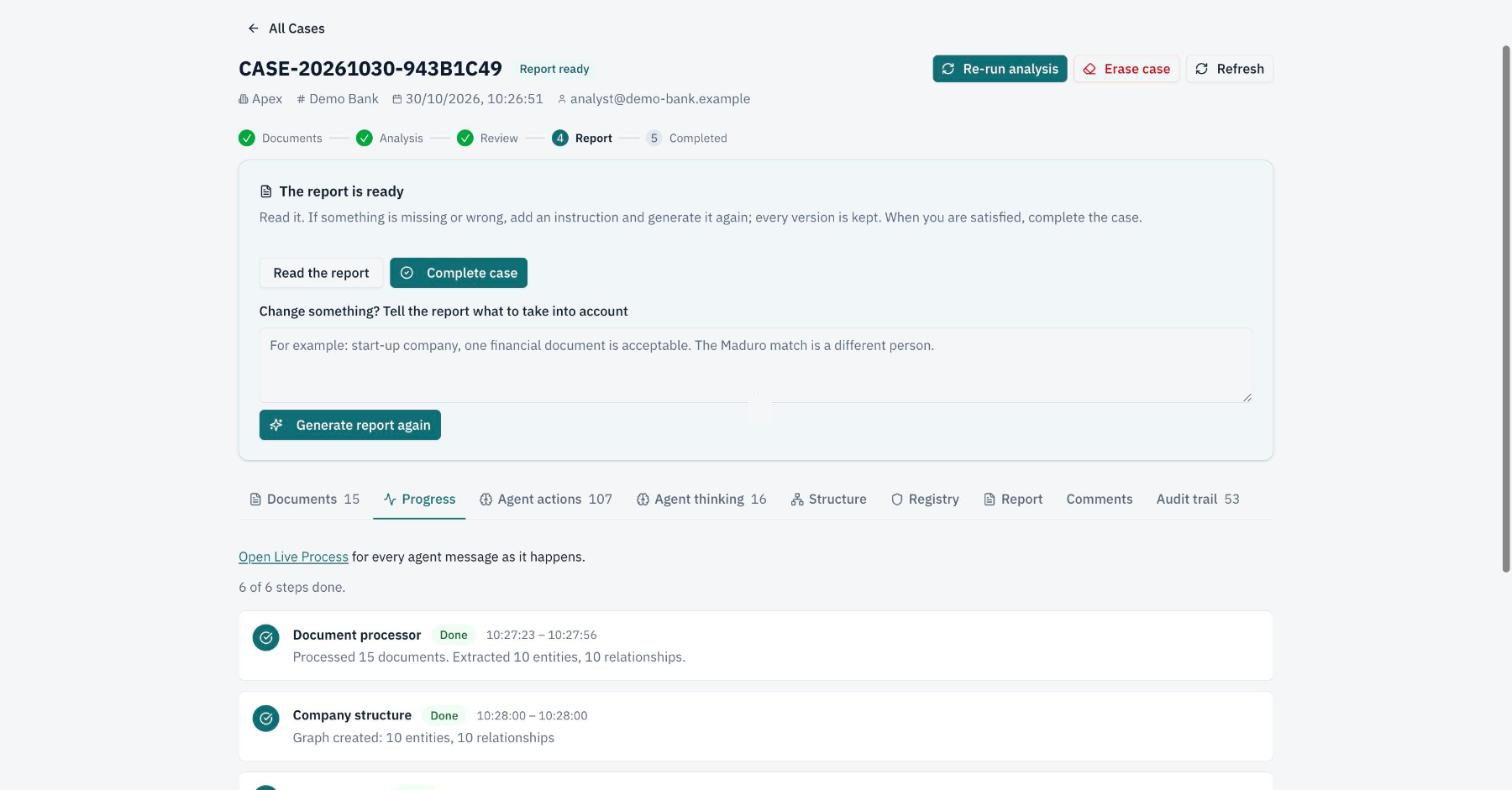
The agents analyse the case
Six agents run one after the other: document processing, company structure, registry check, sanctions screening, financial AML, KYC report. Their progress and every finding appear on the case as they work.
- 3
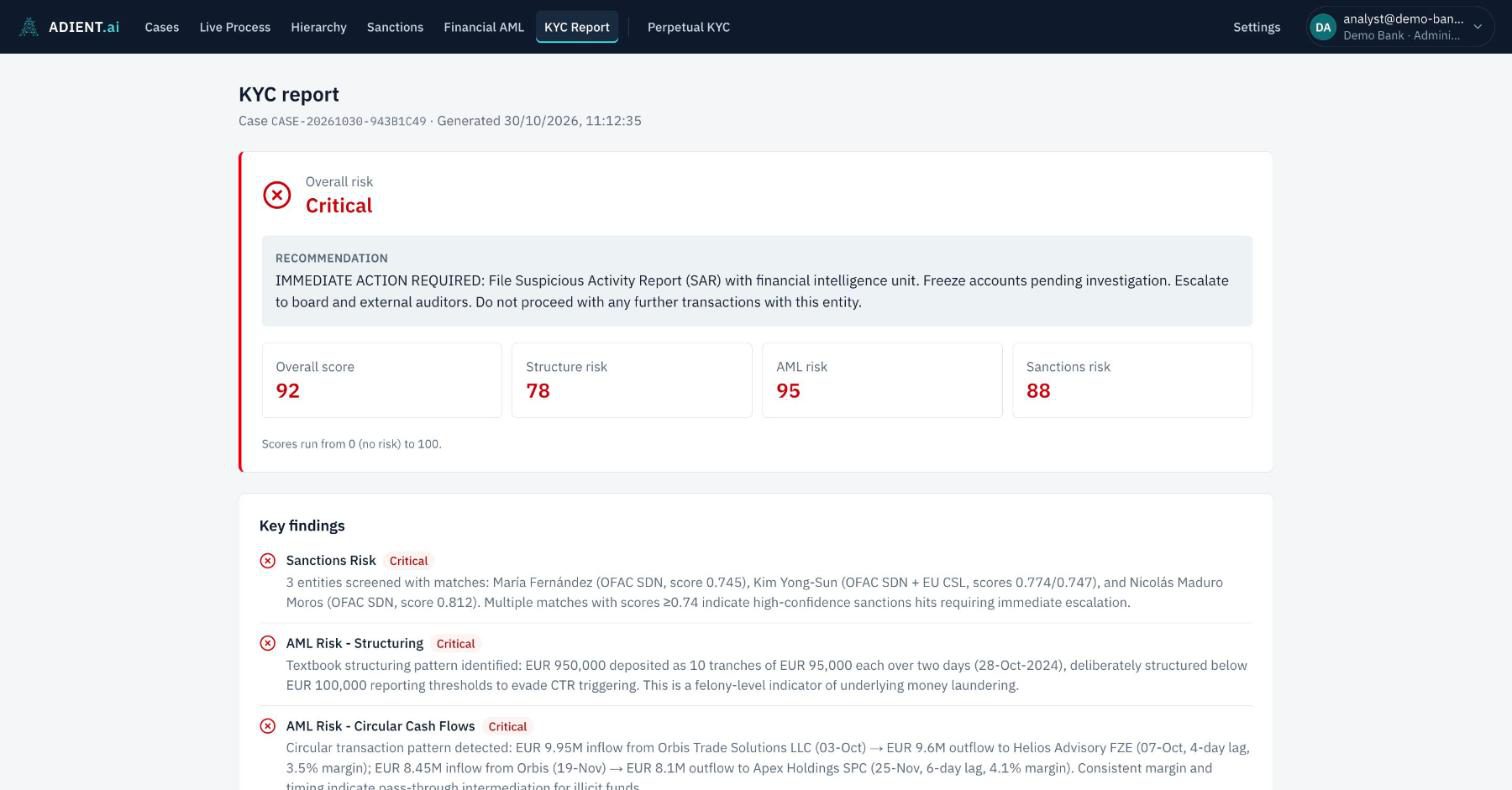
Read the draft report
When the analysis ends, a draft risk report is ready: an overall risk level and score, separate scores for structure, AML and sanctions, and the key findings with their severity.
- 4
Review and decide
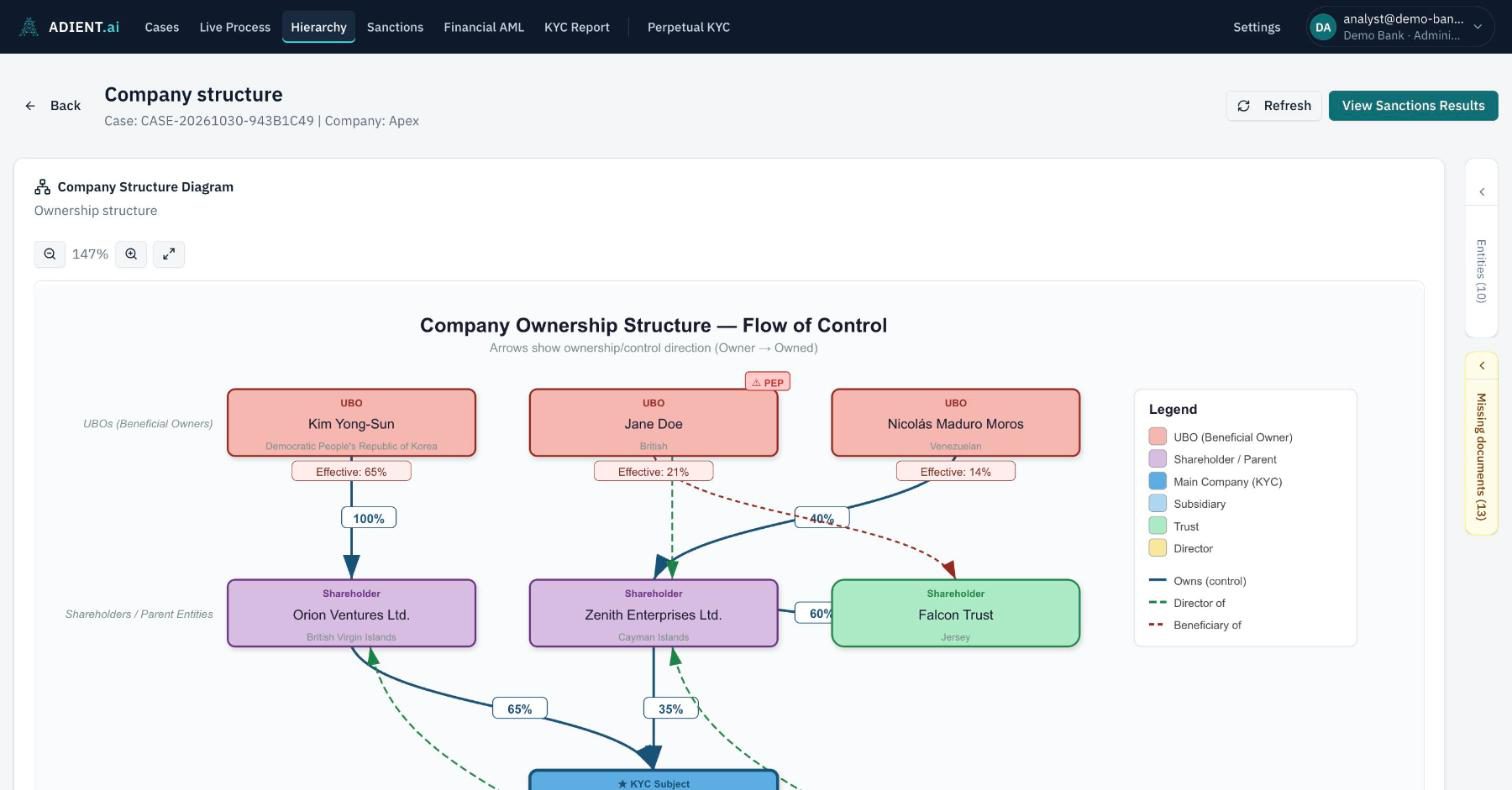
The analyst checks the ownership diagram, registry results, sanctions matches and financial analysis, adds notes the agents could not know (for example that a match is a different person), and waives or requests missing documents.
- 5
Generate the final report and complete the case
The final report takes the analyst’s notes and decisions into account. Every version is kept. Only an analyst can complete a case.
- 6
Keep watching after onboarding
Perpetual KYC screens onboarded clients, their owners and directors for new sanctions listings and adverse news between periodic reviews.
In our test environment, a case with 15 documents went from upload to a draft risk report in about 3 minutes.
In the app
Screens from a fictional test case.
See a complete case
We walk you through a case from start to finish: documents in, ownership mapped, registries and sanctions checked, draft report, analyst review and final report.